
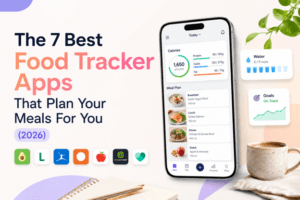
 Most trackers are glorified spreadsheets. These seven actually do the planning so you don’t have to.
There’s a quiet truth about food tracking apps that nobody puts on their homepage: tracking alone doesn’t change what you eat. Logging a doughnut after the fact tells you the doughnut existed. It doesn’t tell you what you should have eaten instead, and it definitely doesn’t make tomorrow easier. The apps that actually move the needle are the ones that flip the order, telling you what to eat first and then tracking it automatically when you do.
This list is for that group. Seven apps that combine calorie and macro tracking with some form of meal planning, ranked by how well they solve the actual problem (knowing what to eat that hits your numbers) rather than how well they record the answer. We’ve used each for at least a month, with a real fitness goal in mind, and we’ve called out the genuine downsides as well as the strengths. The deciding factor at the top of the list isn’t a tie: one app does this materially better than anything else on the market.
Quick verdict
| # | App | Best for | Planning? | Starting price |
| 1 | Eat This Much | Replacing tracker chaos with an automated weekly plan | Yes (core feature) | Free / $5 mo |
| 2 | PlateJoy | Pantry-aware weekly menus | Yes | $12.99 mo |
| 3 | Mealime | Cheap, friendly weeknight dinner planning | Light | Free / $5.99 mo |
| 4 | Lifesum | Structured diet programs with light planning | Light (diet plans) | Free / $4.17 mo |
| 5 | MyFitnessPal | Pure tracking with the largest food database | No | Free / $19.99 mo |
| 6 | Cronometer | Accuracy and micronutrient depth | No | Free / $9.17 mo |
| 7 | Lose It! | Easy logging for casual users | No | Free / $3.33 mo |
How we evaluated
Each app was used for at least four weeks against the same goal: hitting a 2,400 calorie target with 170g of protein, generating weekly plans where the app supported it, and logging meals daily. We tracked four things: how close the actual macros landed to target, how much manual work was needed each day, how accurate the food database was when compared against verified nutrition labels, and how well the app handled real-life curveballs (eating out, leftovers, missing an ingredient). The deciding criterion was simple: how much of the daily “what should I eat?” decision did the app actually take off our plates.
1. Eat This Much
 Verdict
 Verdict
Eat This Much is the only app on this list built around the idea that planning comes before tracking. You enter your calorie target, your protein floor, your dietary preferences and any allergies, and it generates a full week of meals that fit. Tracking happens automatically as you follow the plan. The mental load of “what fits in my remaining macros?” simply goes away.
Who it’s best for
Anyone who’s spent more time staring at a tracker at 8pm trying to figure out what to eat than they have actually eating. People with specific macro targets (lifters, runners, recomp clients) who want the math handled for them. Anyone who’d rather make their food decisions once a week on a Sunday than 21 times a week before each meal.
What stands out
The macro accuracy of the generated plans is the headline. Across four weeks of testing, daily protein landed within 5% of the 170g target and calories within 6%. That’s a different league from apps that hand you a number and leave you to figure out the meals yourself. The food database for in-app recipes is verified against USDA data rather than crowdsourced, which means the protein count for the tofu bowl you’re eating matches the tofu bowl you cooked.
The grocery list automation is the other thing that quietly compounds. The weekly plan generates a shopping list organised by aisle, with weekly recipe ingredients consolidated so you’re not buying two bunches of cilantro because they appeared on different recipes. The list pushes to Instacart, Walmart, or Amazon Fresh in a couple of taps. The barcode scanner handles US-brand foods when you eat outside the plan, and you can build custom recipes for meals you cook regularly.
The honest downsides
The recipe pool, while deep, cycles by week three or four if you stick rigidly to the algorithm’s picks. You can manually add your own recipes to expand it, but that’s work the app is supposed to save you. The mobile interface is functional rather than slick, and the learning curve in the first session is real (give it 20 minutes and you’re productive). The grocery lists default to long, assuming you’re starting from an empty kitchen, until you flag pantry staples.
Pricing
Free forever for one daily plan, food tracking, barcode scanning, and custom recipes. Premium is $9/month or $60/year, which works out to $5/month annual. The free tier is a genuine try-before-you-buy: most users know within a week whether the planning-led approach fits how they eat.
2. PlateJoy
Verdict
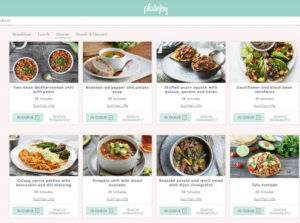
PlateJoy is the most polished-feeling app on this list at first use, and its pantry-aware planning is a genuinely original feature. The 50-point onboarding quiz produces personalised menus that respect detailed preferences. It comes in second because macros aren’t a first-class input, and the app’s post-acquisition direction has raised reliability concerns we’d want any new user to know about.
Who it’s best for
Home cooks who want curated weekly menus and care more about variety than about hitting specific macro numbers. The pantry feature is genuinely useful for households that throw food away. If your priority is healthy-ish eating with minimal food waste rather than precise macro targeting, PlateJoy delivers.
What stands out
The pantry tracking is the feature we missed in every other app. PlateJoy follows what you ordered through its Instacart integration and adjusts future plans to use ingredients you already have. Food waste dropped noticeably during testing, and the grocery bill came in lower than the weeks we ran other apps’ lists straight through. The quiz-driven personalisation produces recipe matches that reflect your stated preferences more accurately than any other app on this list.
The honest downsides
Macros are an afterthought. You can see the breakdown of any recipe after the fact, but you can’t tell the app to hit 170g protein this week and have it solve for that. For a macro-focused user, the daily protein on PlateJoy plans came in 30-50g under target. The product’s direction since the 2021 RVO Health acquisition has also drawn criticism: founder departure, slower updates, billing concerns flagged by users on Trustpilot. Worth knowing before paying for an annual subscription.
Pricing
$12.99/month, $69 for six months, or $99/year. The 10-day free trial is the standard entry point and worth using before committing to a longer term.
3. Mealime
 Verdict
 Verdict
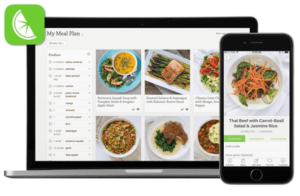
Mealime is the best app on this list at being exactly what it claims to be: a clean, fast, well-designed recipe app that produces a weekly plan of 30-minute dinners. It’s not a macro tool, and the planning is lighter than Eat This Much’s, but for someone who just wants help answering “what should I cook this week,” it’s hard to beat at this price.
Who it’s best for
Couples and individuals cooking five dinners a week, who want healthy variety, don’t follow a strict macro split, and value not having to think. People who’d benefit more from variety than from precision.
What stands out
The hands-free cooking mode (which advances through recipe steps without you touching the phone) is the kind of feature you don’t appreciate until you’ve used it. The aisle-sorted grocery list saves real time in the supermarket, the recipes are well-written, and the cooking times are honest within five minutes either way. The free tier covers weekly meal plans and grocery lists without paying, which is genuinely rare in this category.
The honest downsides
No macro targeting. You can see nutritional info on Pro, but you can’t set a daily protein floor or have the plan generate around your numbers. The grocery list rebuilds from scratch if you change the meal plan after generating it, which is frustrating if you’ve half-shopped.
Pricing
Free tier covers weekly plans, grocery lists, and basic personalisation. Pro is $5.99/month or $49.99/year. The 7-day Pro trial doesn’t require a credit card up front.
4. Lifesum
 Verdict
 Verdict
Lifesum is the app to recommend to someone who’s never tracked before and wants something gentler than MyFitnessPal. It’s lifestyle-led rather than data-led, with structured diet programs (Mediterranean, keto, high-protein) layered on top of basic tracking. Light planning, friendly interface, reasonable price.
Who it’s best for
First-time trackers. Users who want a structured diet program with curated recipes and macro targets adjusted to the diet. People who care more about daily habits than hitting precise macro numbers.
What stands out
The diet programs are the differentiator. Pick a plan (Mediterranean, keto, high-protein, several others), and Lifesum handles the macro math while serving you recipes that fit. The “Life Score” gamifies daily choices in a way that works for some users. The interface is bright and visual.
The honest downsides
The food database is mixed quality, with some crowdsourced entries showing the same variance issues as MyFitnessPal. The macro tracking is shallow compared to MacroFactor or Cronometer. And the Life Score gamification feels condescending to some users. It’s a good entry-level app and a poor advanced one.
Pricing
Free tier with basic tracking. Premium is $49.99/year (around $4.17/month) or $9.99/month.
5. MyFitnessPal
 Verdict
 Verdict
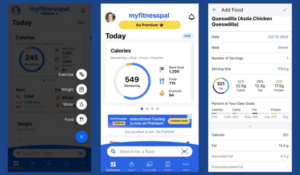
MyFitnessPal has the largest food database of any tracker on this list (over 20 million entries), broad device integration, and a decade of user history. It also has a documented accuracy problem that gets worse the more you rely on the database without checking it. For users embedded in the ecosystem it remains the default; for new users in 2026, better options exist.
Who it’s best for
Users with years of historical data in the app who don’t want to start over. People who care about specific device integrations (the 50+ supported fitness apps and devices is unmatched). Long-time MFP users who track casually rather than precisely.
What stands out
Database breadth is genuine. Almost any food, packaged product, or restaurant menu item is in there somewhere. The barcode scanner has the highest hit rate of any app on this list. The community features and challenges are well-developed. The recent AI photo logging (Meal Scan) and voice logging are credible features even if they’re not yet at the accuracy of dedicated AI tracking apps.
The honest downsides
Database accuracy is the persistent issue. Crowdsourced entries mean duplicate listings for the same food with conflicting calorie counts, sometimes varying by 15-30%. Independent testers have measured systemic error around 6.8% across a typical week of logging. Pricing has crept up to $19.99/month for the Premium+ tier, the highest in this comparison. The free tier is increasingly hollowed out by paywall prompts and ads.
Pricing
Free tier with ads. Premium is $19.99/month or $79.99/year. Some users have been moved automatically to the Premium+ tier in 2026 pricing changes.
6. Cronometer
 Verdict
 Verdict
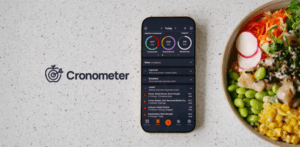
Cronometer is what you switch to when accuracy is the only thing that matters. The database pulls from USDA and the Nutrition Coordinating Center, every common food has lab-verified nutrition data, and 84 separate nutrients are tracked. For data-driven trackers, dietitians, and people managing specific deficiencies, nothing else in this category comes close. But it doesn’t plan meals, so you bring your own.
Who it’s best for
Users managing iron, B12, vitamin D, or other deficiencies. People on plant-based, low-FODMAP, or restrictive diets who need full micronutrient visibility. Athletes who care about hitting specific protein numbers accurate to the gram and don’t want to second-guess database entries.
What stands out
The 84-nutrient tracking is the differentiator. Every other tracker shows calories, protein, carbs, fat, and maybe fibre and sodium. Cronometer shows the full vitamin spectrum, all the major and minor amino acids, omega-3 and omega-6 ratios, choline, iodine, selenium, and more. The coloured visualisation means chronic shortfalls become visible before they show up in blood work.
The honest downsides
No meal planning. Cronometer tracks what you ate; you decide what to eat. The mobile app is functional rather than beautiful, the barcode scanner sits behind the Gold paywall, and the learning curve is steeper than friendlier apps. Casual users will find it overwhelming.
Pricing
Free tier is genuinely useful and shows all 84 nutrients. Gold runs $9.17/month annually (around $110/year) and unlocks barcode scanning, recipe imports, and deeper analytics.
7. Lose It!
 Verdict
 Verdict
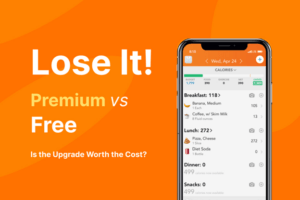
Lose It! is the smallest mental jump for users coming off MyFitnessPal. The interface is recognisable, the logging workflow is familiar, the database is comparable in size with marginally better curation, and the premium tier is dramatically cheaper. It’s not a planner. It’s a tracker that does the tracker thing slightly better.
Who it’s best for
MyFitnessPal users who liked the app’s approach but got frustrated with the price increases, the ad load, or specific features moving behind paywalls. Casual trackers who value ease over depth.
What stands out
“Snap It” photo logging has been around longer than most AI alternatives and works well on common foods. The interface is genuinely clean, the workflow assumes quick logging rather than deep analysis, and the community features are well-developed. At $39.99/year (around $3.33/month), the premium tier is the cheapest in this comparison.
The honest downsides
The database is still partly crowdsourced. Lose It! curates more than MyFitnessPal does, but duplicate entries and serving-size variance on common foods remain. The macro tracking is shallow compared to MacroFactor or Cronometer. The free tier serves ads. And there’s no meal planning at all.
Pricing
Free tier with ads. Premium is $39.99/year (around $3.33/month) or $9.99/month.
How they actually compare
Planning vs tracking
The single biggest divide in this category is whether the app helps you decide what to eat or just records what you’ve already decided. Five of the seven apps on this list are tracking-first products with planning as either an absent or light feature. Two (Eat This Much, PlateJoy) are planning-first. Mealime sits in between.
| App | Planning | Tracking | Verified database | Auto grocery list |
| Eat This Much | Yes (core) | Yes (auto from plan) | Yes (USDA) | Yes (Instacart, Walmart, Amazon) |
| PlateJoy | Yes | Limited | Yes | Yes (Instacart) |
| Mealime | Light | Limited | Yes | Yes (in-app) |
| Lifesum | Light (diet plans) | Yes | Mixed | No |
| MyFitnessPal | No | Yes | Mixed (crowdsourced) | No |
| Cronometer | No | Yes (deep) | Yes (USDA, NCCDB) | No |
| Lose It! | No | Yes | Mixed | No |
Pricing
| App | Free tier | Monthly | Annual effective |
| Eat This Much | Yes (1 daily plan) | $9.00 | $5.00 |
| PlateJoy | 10-day trial | $12.99 | $8.25 |
| Mealime | Yes (weekly plans) | $5.99 | $4.17 |
| Lifesum | Yes | $9.99 | $4.17 |
| MyFitnessPal Premium | Yes (with ads) | $19.99 | $6.67 |
| Cronometer | Yes (generous) | $13.99 | $9.17 |
| Lose It! | Yes (with ads) | $9.99 | $3.33 |
What to actually pick
If you’re tired of asking “what should I eat?” every meal, start with Eat This Much. The free tier covers one daily plan, which is enough to test whether the planning-led approach changes how you eat in a single week.
If accuracy is the only thing that matters, Cronometer. Bring your own meals.
If you want the easiest possible switch from MyFitnessPal, Lose It! is the smallest mental jump.
If you want a free, friendly recipe planner without macro complexity, Mealime’s free tier does that better than anything else on this list.
The bottom line
The category quietly split in the last few years. On one side: trackers that record what you’ve already eaten and leave the planning to you. On the other: apps that plan first and track as a byproduct. The first group is the default because the category started there and inertia is powerful. The second group is where the actual product progress is happening.
For most users with a real fitness goal, the planning-led approach saves more time and produces better adherence than tracking alone. Eat This Much is the strongest current expression of that approach: free to try, $5/month annual, with verified data and automated grocery lists. Cronometer pairs well alongside it for the micronutrient view. Skip the pure trackers if you have the choice; the work they leave on you is exactly the work the better apps remove.